

How Small Businesses Can Use AI in 2027: 12 Practical Ways to Save Time, Reduce Costs, and Grow
Artificial intelligence is becoming a practical resource for small businesses, not just large technology companies. This guide explores 12 ways entrepreneurs can use AI for marketing, customer service, sales, research, administration, financial analysis, and business planning. It also explains how to introduce AI responsibly, protect customer information, and measure whether the technology is actually improving business performance.

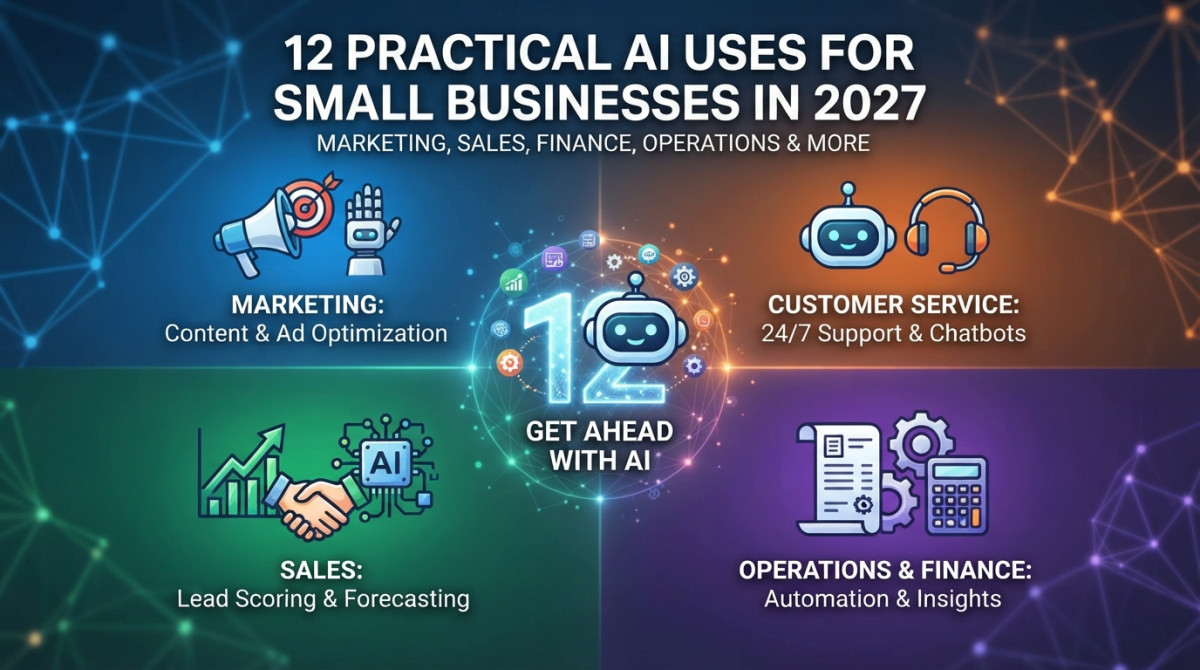
Running a small business often means doing the work of several people at once.
An entrepreneur might spend the morning answering customer messages, the afternoon preparing marketing content, and the evening reviewing expenses or planning the next month's activities. Even businesses with a small team must manage sales, customer relationships, administration, marketing, and daily operations.
This is where artificial intelligence (AI) is becoming increasingly useful.
AI is no longer limited to technology companies or businesses with large research budgets. Today, small businesses can access tools that help write marketing material, summarize documents, organize information, analyze data, respond to routine questions, and automate repetitive tasks.
The opportunity is not necessarily to replace employees or turn every business into an automated operation. It is to make limited time and resources go further.
For example, a small restaurant might use AI to develop promotional ideas, a freelance designer could use it to organize client feedback, and an online retailer might use it to analyze customer questions and identify frequently requested products.
The important question for 2027 is not simply whether a business should use AI. It is which business problems are worth solving with it?
This guide explains 12 practical ways small businesses can use AI, how to introduce the technology without unnecessary expense, and what owners should consider before relying on automated systems.
Why AI Is Becoming Important for Small Businesses
For many years, advanced business technology was associated with large companies that could afford dedicated IT teams, expensive software, and specialist consultants.
That situation has changed.
AI-powered services are increasingly available through ordinary websites, business applications, customer-management platforms, and productivity software. Many tools offer free or relatively inexpensive entry-level plans, allowing smaller organizations to experiment before committing to a larger investment.
Recent research illustrates this shift.
The U.S. Chamber of Commerce's 2026 Empowering Small Business report found that 66% of surveyed U.S. small businesses were using AI, compared with 23% in 2023. Its report also found that 95% of AI-using businesses were working to improve employee skills through training or other upskilling efforts.
The Federal Reserve Banks' 2026 Report on Employer Firms found that 46% of surveyed employer firms currently used AI, while another 15% planned to begin using it within the following 12 months. Among businesses using AI, common applications included writing and marketing, individual productivity, and planning or analysis.
These surveys use different samples and methodologies, so their percentages should not be treated as directly interchangeable. Nevertheless, they show that AI is becoming part of ordinary business operations.
The opportunity is particularly relevant to smaller companies because they often need to accomplish more without adding large amounts of overhead.
12 Practical Ways Small Businesses Can Use AI in 2027
AI can support many different business activities. However, the most useful applications are usually those connected to repetitive work, information management, customer communication, and decision support.
Here are 12 practical examples.
1. Create Marketing Content More Efficiently
Marketing is one of the easiest areas for small businesses to start using AI.
A business needs regular communication with customers, but producing fresh content every day can take considerable time. AI writing tools can help generate ideas, organize campaigns, prepare first drafts, and adapt messages for different platforms.
For example, a local restaurant could use AI to develop:
-
Social media captions.
-
Weekly promotional ideas.
-
Email newsletter drafts.
-
Seasonal campaign concepts.
-
Descriptions of new menu items.
-
Short advertisements for local audiences.
An online store could use AI to prepare product descriptions, promotional emails, and content explaining how its products solve customer problems.
However, AI-generated content should not automatically be published without review.
Business owners should verify product specifications, prices, availability, promotional terms, and factual claims. They should also edit generic writing so that it reflects the company's real voice and experience.
Practical example: A small clothing store could provide its product details, target audience, and campaign objective to an AI assistant, then request five different promotional concepts. The owner can select and improve the best idea instead of starting with a blank page.
2. Improve Social Media Management
Maintaining several social media accounts can become a full-time responsibility.
Businesses often need to publish content on Instagram, Facebook, TikTok, LinkedIn, and other platforms. Each platform has different audiences, formats, and communication styles.
AI can help organize this workload.
It can generate weekly content calendars, suggest post topics, rewrite captions for different platforms, and develop ideas for short-form videos.
It can also help a business turn one useful piece of content into several formats.
For example, a business owner could create one article about a new service and use AI to develop:
-
Three short social media posts.
-
One customer-focused email.
-
A short video script.
-
A frequently asked questions post.
-
A longer LinkedIn update.
The business still needs to publish appropriate content, respond to customers, and maintain an authentic relationship with its audience.
AI should support the social media strategy, not turn the company's accounts into streams of repetitive automated posts.
3. Provide Faster Customer Support
Customer service is another area where AI can make a practical difference.
Customers frequently ask the same questions:
-
What time do you open?
-
Where are you located?
-
How much does delivery cost?
-
What payment methods do you accept?
-
How can I return an order?
-
Is a particular product available?
An AI-assisted chatbot or customer support system can help answer common questions using information provided by the business.
For example, an online store could connect a customer support assistant to its approved delivery information, return policy, product details, and frequently asked questions.
A customer might ask about delivery times and receive an immediate response rather than waiting for an employee to become available.
However, businesses should establish clear limits.
An automated assistant should know when it cannot answer a question and how to transfer the conversation to a human employee. Complaints, refunds, unusual orders, sensitive personal matters, and complicated requests may require human judgment.
Important: Do not allow a chatbot to invent policies, promise unavailable products, or make commitments the business cannot fulfill.
4. Organize Sales Leads and Customer Inquiries
Small businesses can lose potential customers simply because they do not have enough time to follow up with every inquiry.
AI can help organize incoming messages and identify which requests need attention.
For example, a service company may receive inquiries through its website, email, and social media accounts.
An AI-assisted system could categorize these inquiries as:
-
New service requests.
-
Pricing questions.
-
Existing customer support.
-
Partnership opportunities.
-
General information requests.
-
Urgent issues.
It can also summarize conversations and prepare suggested follow-up messages.
A customer relationship management (CRM) platform with AI features may help sales teams organize customer records, identify overdue follow-ups, and summarize previous interactions.
The business should still decide which leads deserve priority and ensure that customer information is handled appropriately.
5. Research Competitors and Understand Your Market
Small businesses do not always have the resources to commission expensive market research.
AI can help organize publicly available information and identify patterns worth investigating.
For example, a business owner could use AI to:
-
Summarize publicly available competitor service descriptions.
-
Compare product categories.
-
Identify common customer complaints in public reviews.
-
Organize industry reports.
-
Generate questions for customer interviews.
-
Explore potential market segments.
A local fitness studio might review publicly available customer feedback about competing gyms to understand which services customers appreciate and which problems appear repeatedly.
However, AI-generated research is not automatically accurate.
Business owners should verify information against original sources, distinguish facts from assumptions, and avoid using confidential competitor information or accessing systems without permission.
AI is most useful as a research assistant that helps organize evidence, not as a replacement for understanding the market.
6. Analyze Sales and Business Performance
Many small businesses collect useful information but do not have the time or expertise to analyze it.
Sales records, customer orders, website traffic, product performance, and monthly expenses can reveal important patterns.
AI-assisted analytics tools can help turn spreadsheets and reports into more understandable summaries.
For example, a retailer might upload an appropriately protected sales spreadsheet and ask:
-
Which products generated the highest revenue?
-
Which categories experienced declining sales?
-
What were the strongest sales periods?
-
Which products have low sales but high inventory?
-
How did this month's performance compare with last month?
The business owner can then investigate the findings and decide whether changes are needed.
Research from Goldman Sachs' October 2026 report on its 10,000 Small Businesses program found that financial analysis and business planning had become more prominent AI applications among its surveyed graduates. The share using AI for this purpose rose from 18% in 2024 to 42% in 2026.
This reflects a broader shift: businesses are exploring AI for decision support, not just writing and content creation.
AI-generated analysis should still be checked against the underlying records. A missing column, incorrect date format, or incomplete dataset can produce misleading conclusions.
7. Simplify Bookkeeping and Administrative Work
Administrative responsibilities can consume hours that small business owners would rather spend serving customers or improving their products.
AI-powered business software can help organize documents, extract information, summarize invoices, categorize transactions for review, and prepare administrative summaries.
Depending on the software and integrations, businesses may also be able to:
-
Extract information from receipts.
-
Organize expense documents.
-
Summarize monthly financial reports.
-
Identify missing invoice information.
-
Prepare payment reminder drafts.
-
Categorize business correspondence.
For example, a consultant who receives dozens of invoices and receipts each month could use document-processing software to extract dates, vendors, and amounts before reviewing and entering the information into accounting software.
There is an important distinction between assisting with bookkeeping and making financial decisions.
AI should not independently approve payments, file taxes, change accounting records, or make compliance decisions without appropriate controls.
Sensitive financial information should only be processed through services whose privacy, security, and data-handling terms the business has reviewed.
8. Improve Website Content and Search Engine Optimization
A business website is often one of its most important ways to attract new customers.
However, maintaining useful website content requires planning, writing, technical knowledge, and regular updates.
AI can support several parts of search engine optimization (SEO).
For example, it can help with:
-
Generating content ideas based on customer questions.
-
Organizing keyword research.
-
Creating article outlines.
-
Improving unclear website copy.
-
Drafting page titles and meta descriptions.
-
Developing frequently asked questions.
-
Identifying missing sections in existing content.
-
Explaining technical SEO reports.
A local home renovation company could create useful pages explaining its services, project process, common customer questions, and factors that influence project costs.
AI can help prepare a first draft, but the company should add its real expertise, local knowledge, original photographs, accurate service details, and genuine customer information.
Publishing large volumes of generic AI-generated pages simply to target keywords is not a reliable SEO strategy.
Search-focused content should be genuinely useful, accurate, original in its presentation, and created for readers rather than just search engines.
9. Automate Repetitive Business Workflows
Some of the most valuable AI applications involve connecting different business tasks.
Consider a small online business that receives orders through its website.
A workflow might:
-
Receive a new order notification.
-
Extract the relevant order details.
-
Add the information to an internal tracking system.
-
Prepare a confirmation message.
-
Notify the appropriate employee.
-
Create a reminder if the order requires additional action.
Automation platforms can connect business applications, while AI can help interpret information or prepare text within the workflow.
Other examples include:
-
Automatically organizing incoming emails.
-
Sending appointment reminders.
-
Creating task lists from meeting notes.
-
Routing customer inquiries to the right team.
-
Preparing weekly activity summaries.
-
Updating internal project records.
Not every task needs AI. Traditional automation is often more reliable for predictable actions such as moving a file or sending a standard notification.
A useful approach is to combine ordinary automation with AI only where language understanding, summarization, or classification is genuinely needed.
10. Support Inventory and Demand Planning
Businesses that sell physical products must manage stock carefully.
Ordering too much can tie up money in unsold inventory. Ordering too little can result in missed sales and disappointed customers.
AI-assisted forecasting tools can analyze historical sales, seasonal patterns, product availability, and other business data to support inventory decisions.
For example, a small clothing retailer could examine past sales to identify which product categories usually become popular before particular holidays.
A grocery store might use historical sales and seasonal patterns to estimate demand for certain products.
However, predictions are not guarantees.
Unexpected weather, supply disruptions, changing customer preferences, promotions, and local events can all affect demand.
AI-generated forecasts should be treated as decision-support information and compared with the business owner's experience and current market conditions.
11. Help Train Employees and Organize Internal Knowledge
Small businesses often rely on employees learning through experience.
When an employee leaves or a new team member joins, important information can be difficult to transfer.
AI can help turn existing business documents into more accessible training resources.
For example, a company could organize approved internal documents containing:
-
Customer service procedures.
-
Product information.
-
Workplace policies.
-
Standard operating procedures.
-
Frequently asked questions.
-
Basic troubleshooting instructions.
An internal AI assistant could then help employees locate relevant information.
A new employee might ask how to process a particular type of customer request and receive a response based on the company's approved documentation.
This can reduce time spent searching through documents, but the information must remain current.
Employees should be able to identify the source of important instructions and escalate questions involving safety, legal requirements, money, or unusual situations.
12. Personalize Customer Experiences
Customers increasingly expect businesses to understand their preferences and provide relevant communication.
AI can help companies organize customer feedback, identify purchasing patterns, and prepare more relevant recommendations.
For example:
-
An online bookstore could suggest books based on customer-selected interests.
-
A travel company could organize trip suggestions around budget and destination preferences.
-
A fitness business could prepare different introductory messages for new members.
-
A clothing store could recommend related products based on a customer's previous purchases.
Personalization should be useful rather than intrusive.
Businesses should avoid collecting unnecessary personal information, making sensitive assumptions about customers, or using private data without an appropriate legal basis.
Customers should also have clear ways to manage their communication preferences.
Which AI Tools Should Small Businesses Consider?
The right tool depends on the task, the size of the business, the software it already uses, and the available budget.
Some businesses may need only one general-purpose AI assistant. Others may benefit from specialized tools integrated into their existing systems.
The following products are examples to investigate, not a ranking or endorsement.
| Tool | Potential business use |
|---|---|
| ChatGPT | Writing, research, brainstorming, analysis, and task support |
| Claude | Document analysis, writing, and structured reasoning |
| Google Gemini | Research and productivity within supported Google workflows |
| Microsoft Copilot | Assistance within supported Microsoft applications |
| Canva AI | Marketing graphics and design assistance |
| Grammarly | Writing clarity and communication |
| Perplexity | Research assistance and source discovery |
| Notion AI | Internal documentation and knowledge management |
| Zapier | Connecting applications and automating workflows |
| HubSpot AI features | Customer relationship and sales support |
| QuickBooks AI features | Accounting and business finance workflows, depending on plan and availability |
| Shopify AI features | Ecommerce product content and store workflows, depending on plan and availability |
Features, regional availability, pricing, and subscription limits can change. Check each provider's official website before choosing a paid service.
Businesses should also compare whether a tool integrates with their existing software. Purchasing several overlapping subscriptions can create unnecessary costs.
How to Start Using AI Without Spending Too Much
One common mistake is purchasing multiple AI subscriptions before understanding what the business actually needs.
A better approach is to start small and test the results.
Step 1: Identify One Repetitive Problem
Look for tasks that consume time every week.
Examples include:
-
Preparing social media posts.
-
Answering repeated customer questions.
-
Organizing documents.
-
Writing standard emails.
-
Summarizing reports.
-
Creating meeting notes.
Choose one task that is frequent, time-consuming, and relatively low-risk.
Step 2: Choose One Suitable Tool
Find an AI tool that addresses the selected problem.
Before paying, check whether a free version or trial provides enough functionality to test the workflow.
Review its privacy terms, data retention policies, integrations, and access controls.
Step 3: Test It With Realistic but Safe Information
Use examples that reflect ordinary business activities.
Do not upload sensitive customer information, employee records, passwords, confidential contracts, or financial details to an AI service without reviewing its security and data-use arrangements.
Measure whether the tool actually improves the task.
Step 4: Keep Human Review in the Process
Assign someone to review AI-generated work before it affects customers, payments, business records, or important decisions.
For example, an AI assistant may draft a customer email, but an employee should check its accuracy and tone before sending it.
Step 5: Measure the Results
Track a few practical indicators:
-
Time saved per week.
-
Cost of the tool.
-
Number of errors requiring correction.
-
Customer response time.
-
Employee feedback.
-
Improvement in task completion.
A tool that saves ten minutes but creates frequent errors may not be useful.
Step 6: Expand Only When the Results Justify It
Once the first workflow is working reliably, consider another application.
This approach makes AI adoption more manageable and prevents businesses from spending money on technology that does not solve a real problem.
Common Mistakes Small Businesses Should Avoid When Using AI
AI can be useful, but poor implementation can create new problems.
Here are several mistakes business owners should watch for.
Relying on AI Without Checking Accuracy
AI systems can generate incorrect information, outdated details, and convincing but unsupported claims.
Verify important facts before publishing content, responding to customers, or making decisions.
Automating Every Customer Interaction
Not every customer wants to speak with a chatbot.
Some situations require empathy, negotiation, specialist knowledge, or human accountability.
Keep an accessible route to a real person.
Buying Too Many AI Subscriptions
Businesses sometimes purchase several tools that perform almost identical tasks.
Start with a clear business requirement and avoid unnecessary subscriptions.
Uploading Confidential Business Information
Not every AI platform is suitable for every type of business data.
Review the provider's data-handling terms and establish rules about what employees can and cannot share.
Publishing Generic AI Content
AI can produce content quickly, but speed does not automatically create value.
Websites and social media accounts filled with repetitive material may fail to communicate the company's expertise or distinguish it from competitors.
Add original insights, real examples, accurate information, and a recognizable business voice.
Ignoring Employee Training
Introducing new software without explaining how to use it can create confusion.
Employees should understand the tool's purpose, limitations, privacy requirements, and review procedures.
The Risks and Responsibilities of Using AI in Business
Small businesses should approach AI with the same care they apply to other important business systems.
Customer Privacy
Customer names, contact details, payment information, private messages, and other personal data require appropriate protection.
Businesses should understand where data is processed, how long it is retained, whether it may be used to improve AI models, and which employees or service providers can access it.
Intellectual Property
AI-generated content may raise questions about copyright, licensing, ownership, and the use of third-party material.
Businesses should review the terms of the services they use and avoid assuming that every generated image, document, or design is automatically free of legal restrictions.
Security
AI features can introduce new risks if employees connect unauthorized applications, share sensitive information, or grant excessive access to business systems.
Use strong authentication, limited permissions, and regular security reviews.
Legal and Regulatory Requirements
Rules governing privacy, automated decisions, marketing, employment, consumer protection, and AI use vary across countries and jurisdictions.
A business serving customers internationally may have obligations beyond those applying where it is headquartered.
Owners should review relevant requirements and obtain professional advice when necessary.
Human Accountability
An AI system should not become an excuse for avoiding responsibility.
The business remains responsible for the products it sells, the services it provides, the information it publishes, and the decisions it makes.
A Simple 30-Day AI Adoption Plan for Small Businesses
Business owners who are unsure where to begin can use this practical four-week approach.
| Period | Action | Expected outcome |
|---|---|---|
| Week 1 | Identify repetitive tasks and select one suitable AI application | A clear starting point |
| Week 2 | Test one tool using safe, realistic examples | Initial understanding of its capabilities |
| Week 3 | Introduce human review and document the workflow | More consistent use |
| Week 4 | Measure time, cost, quality, and employee feedback | A decision about whether to continue or expand |
The purpose of this plan is not to automate an entire company in one month.
It is to discover whether a specific application delivers enough value to justify its ongoing use.
What Will AI Mean for Small Businesses in the Future?
AI will likely become more closely integrated with everyday business software.
Instead of opening separate applications for writing, research, customer communication, and analysis, business owners may increasingly interact with AI features built into the platforms they already use.
AI agents and workflow automation may also help businesses coordinate more complicated tasks across multiple applications. However, the reliability, permissions, cost, and security of these systems will matter as much as their capabilities.
The most important development may not be that AI can perform more tasks. It may be that business owners can use it to understand their operations more clearly.
A small retailer could gain better insight into inventory. A freelancer could organize client communication. A restaurant could analyze customer feedback. A service company could identify repeated administrative problems.
These applications do not require every business to become a technology company.
They require owners to identify where better information, faster communication, and less repetitive work can make a meaningful difference.
Conclusion: The Best AI Strategy Starts With a Real Business Problem
Artificial intelligence is creating new opportunities for small businesses, but adopting technology simply because it is popular is not a business strategy.
The most useful approach is to identify the tasks that consume too much time, create unnecessary administrative work, or prevent employees from focusing on customers.
For one company, the answer may be a better customer support system. For another, it could be faster marketing production, more organized sales information, or improved financial reporting.
Small businesses do not need dozens of AI subscriptions or complicated automation systems to benefit.
They need the right tools, clear objectives, responsible data practices, and people who understand how to review the results.
As 2027 approaches, the businesses most likely to benefit from AI will not necessarily be those using the greatest number of tools. They will be the ones that understand where the technology is genuinely useful—and where human judgment still matters most.
AI should not become the business itself. It should help the people running the business do better work.
Frequently Asked Questions
What's Your Reaction?
 Like
0
 Dislike
0
 Love
0
 Funny
0
 Wow
0
 Sad
0
 Angry
0















Comments (0)